Thirty ideas sorted by what you can film today: your face, hands, screen, text over footage, or a business. Each has a reason a stranger would stay and a written first line. When the list runs dry, the Idea Generator writes more.
By the Go Viral team at Monadly · Updated · First published · Editorial policy
Which TikTok ideas are worth filming first?
Start with TikTok video ideas whose first 3 seconds answer a question people search, show the finished result, or give the viewer someone to send the video to. The 30 ideas on this page fall into five groups by what you can film: your face, your hands or a product, your screen, text over footage, or a business. Each idea has its first line written out.
TikTok’s help page says that for most users, interactions, which may include time spent watching, are generally weighted more heavily than other signals. Its list includes content people share, comment on, and watch in full or skip. A finished result in the first frame gives a reason to watch in full, and a video worth sending invites a share. The search test has its own tool: Creator Search Insights.
★★★★★4.7 out of 5 from 325 ratings on the App Store · iPhone and iPad app by Monadly
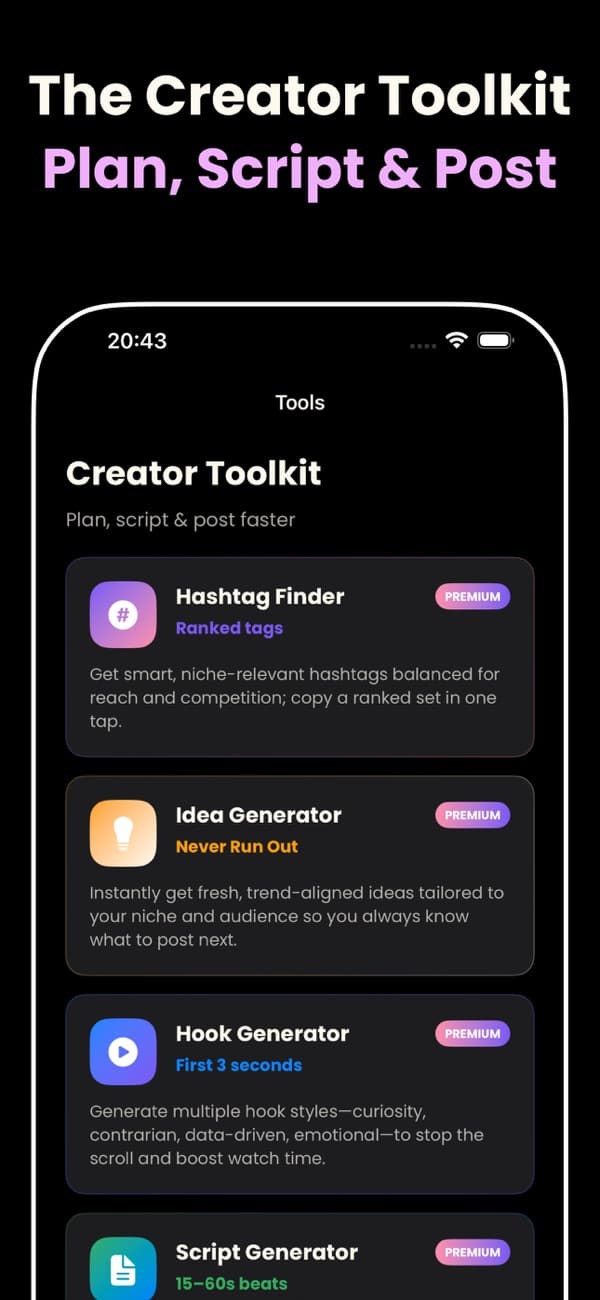
From the appThe Idea Generator in the app’s Creator Toolkit is labelled “Never Run Out”: trend-aligned ideas tailored to a niche and audience. The idea bank on this page is the same job done by hand.
What makes an idea work for someone who has never seen you?
An idea works for a stranger when it passes at least one of the three tests in the table below. One pass is enough. A follower may sit through “hi guys” to see what you posted; a stranger has only the first frame to go on.
The three tests from the table on this page, with its own examples. One pass is enough: a follower may sit through a greeting, but a stranger decides from the first frame.
Three tests for an idea aimed at strangers
Test
Fails it
Passes it
Answers a question people search
“My Sunday reset”
“How to clean shower glass with no streaks”
Shows a result in the first frame
Says hi first; the finished shelf appears at second 20
Opens on the finished shelf, then cuts to the bare wall
Worth sending to one person
“Ten study tips”
“For the friend who studies with the TV on: three fixes”
A new account leans on these tests hardest, because nearly every viewer is a stranger. The guide to going viral on TikTok with no followers lists seven things to get right in a new account’s first videos.
Which of these 30 ideas fits what you can film?
Pick the group that matches what you can film this week. Each quoted line is said or shown in the first 3 seconds. Swap the nouns.
Your face (6 ideas)
The paycheck order. New earners want the order, and “four” sets an end. “Your first paycheck has four jobs, in this order.”
The plateau call-out. A stalled lifter hears their own problem. “Three sets of ten is why your squat stopped moving.”
The reasoned opinion. Disagreement draws comments, a signal TikTok lists. “Splitting the bill evenly is unfair to the friend who ordered soup.”
The honest study answer. The question on screen names the topic first. “You asked how I study for six hours. I don’t.”
Before you buy. Buyers search before spending; the line promises one check. “Before you buy a standing desk, measure this.”
The house rule. One rule is short enough to send. “Nothing stays on the counter that you didn’t use today.”
Your hands or a product (6 ideas)
Raw to finished. All four plates in frame one earn the steps. “One roast chicken becomes four dinners. Monday first.”
The grip fix. The wrong grip comes first, so viewers check their own hand. “Most people hold a chef’s knife like this. Watch the knuckles.”
Kept or returned. The verdict comes first, and buyers want only that. “Returned after a week: this label maker, and why.”
The live repair. A visible fault in frame one holds viewers for the fix. “This drawer hasn’t closed in a year. One screwdriver.”
The side-by-side bake. Two versions in one frame invite a guess in the comments. “Same dough, two cookies. One rested in the fridge overnight.”
All the kit. The only equipment is in shot, so viewers can follow. “One resistance band and a door: the whole back workout.”
Your screen (5 ideas)
The one-tab budget. The finished sheet opens the video, and each column is a step. “My whole monthly budget is four columns on one tab.”
The notes-app planner. Students copy the setup on their own phone. “One pinned note and one widget: my whole week’s planner.”
The errand map. A drawn route answers a planning question in one frame. “Five errands, one loop, home before lunch.”
The CV rewrite. Before and after on one screen is a checkable result. “This CV got no replies. Same CV, three lines changed.”
The calculator total. The total climbs with numbers the viewer would type. “What a daily coffee costs over a year, typed out.”
No face and no voice (5 ideas)
Each line here is on-screen text over footage, readable with the sound off.
The night-before checklist. A list reads faster than speech, and viewers pause to copy it. “Night before an exam: the six-item checklist.”
Text over the pan. Hands and food hold the eye; the text is the recipe. “Dinner for two without a knife or a chopping board.”
Stopped buying. Each line is a saving the viewer can copy today. “Paper towels, cling film, sponges: what I use instead.”
The captioned time-lapse. The result arrives inside the clip, and the text gives the time. “Garage clear-out: one weekend, start to finish.”
The silent workout. Footage shows the moves, text gives the reps. “No equipment, 12 minutes. Save this for tomorrow.”
For a business account (8 ideas)
A shop has what most creators lack: orders, customers and prices. For openings built on a product shot, hooks for product videos groups lines by what the first frame shows.
One order, behind the scenes. A real order proves to a stranger the shop exists. “Someone ordered three candles at 2 a.m. This is that order.”
The real customer question. If one customer asked, others may be typing it into search. “A customer asked if these mugs survive the dishwasher. We tested it.”
The mistake you stopped making. Owners recognise it, and customers see a shop that changes. “We stopped shipping in plastic mailers. Here is why.”
The price breakdown. A stranger who thinks it is expensive sees the costs. “This cake costs $45. Here is where every dollar goes.”
Which one to buy. A buyer stuck between two products gets a decision. “Linen or cotton sheets: which to buy if you sleep hot.”
What you won’t stock. One refusal says what the shop is for. “You ask for this every week. We will never sell it.”
How it is made. The finished product leads, then the steps follow. “From one sheet of leather to a wallet. Every cut.”
Before you order. It answers the sizing question before it reaches your DMs. “Before you order: our sizes run small, so go one up.”
Refill the list every week with Creator Search Insights
Creator Search Insights is TikTok’s list of topics people search for, personalised to your account. Tap Search, type “Creator Search Insights” and tap View. Turn on the Content gap filter. Tap a topic to see its search popularity and related videos. Note the exact wording.
File each topic under a camera group. “Cheap lunches for work” goes under your hands, and “budget spreadsheet for students” under your screen. With more than 1,000 followers, the Searches by followers filter shows what your own audience looks up. The TikTok SEO guide shows where that wording goes in the post: spoken line, on-screen text, caption, hashtags and bio.
How the Idea Generator works in the app
The Idea Generator in Go Viral returns trend-aligned content ideas for the niche you type. Four steps turn one idea into a script and an opening.
Type your niche or one sentence about your account: “home baking for beginners, mostly bread”.
Keep what you can film. Sort the keepers into the five groups above.
Use one as the topic in the Script Generator, which turns a topic into a ready-to-record short-form script.
Open the Hook Generator for several openings and keep the one you would say aloud.
The script generator page shows beat sheets for 15, 30 and 60-second videos. The hook generator page sorts 30 openings into six types, for when an idea is strong and its first line is flat.
Idea questions
What should I post on TikTok as a beginner?
▼
Post an idea you can film this week, from the group that matches your setup: face, hands, screen or text over footage. Answer one question, show the result in the first frame, and say the first line inside 3 seconds.
What kind of TikTok videos go viral?
▼
No format goes viral by itself. TikTok’s help page lists signals instead, among them content people share, comment on, and watch in full or skip. The ideas here aim at those signals: each answers a searched question, shows the result in frame one, or gives a viewer someone to send it to.
Can I post on TikTok without showing my face?
▼
Yes. Three of the five groups above need no face: your hands or a product, your screen, and text over footage. A faceless video still needs a first line, written on screen in the first frame.
How do I come up with TikTok content ideas every week?
▼
Open Creator Search Insights once a week: search for it in TikTok, tap View and turn on the Content gap filter. Tap a topic to see its search popularity and related videos. File each under what you can film.
Thirty ideas here. More for your niche in the app.
Type your niche for trend-aligned ideas, then turn one into a script and a hook. Free to download on iPhone and iPad; a subscription is required for all features.